
January 11, 2022
Moving a sensor and archiving data
Guide on how to re-locate a sensor, and to create and view archived data.
Moving a device
If you want to relocate a sensor for whatever reason, now you can!
Used for:
- Updating the location of the sensor if you want to move it
- Changing crops but leaving the sensor in the same location (in order to separate data)
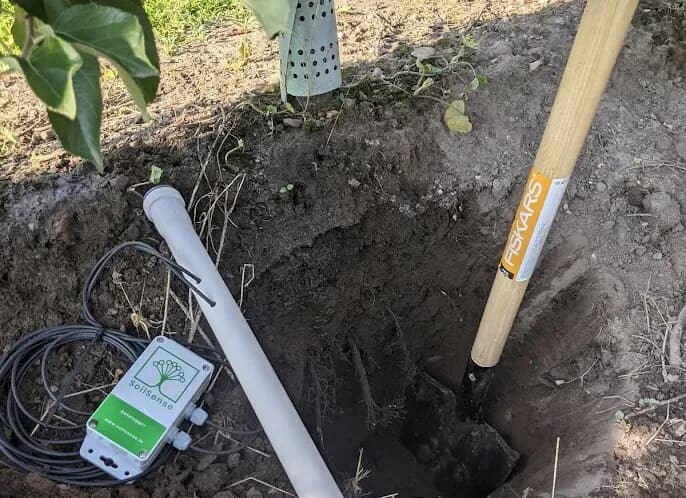
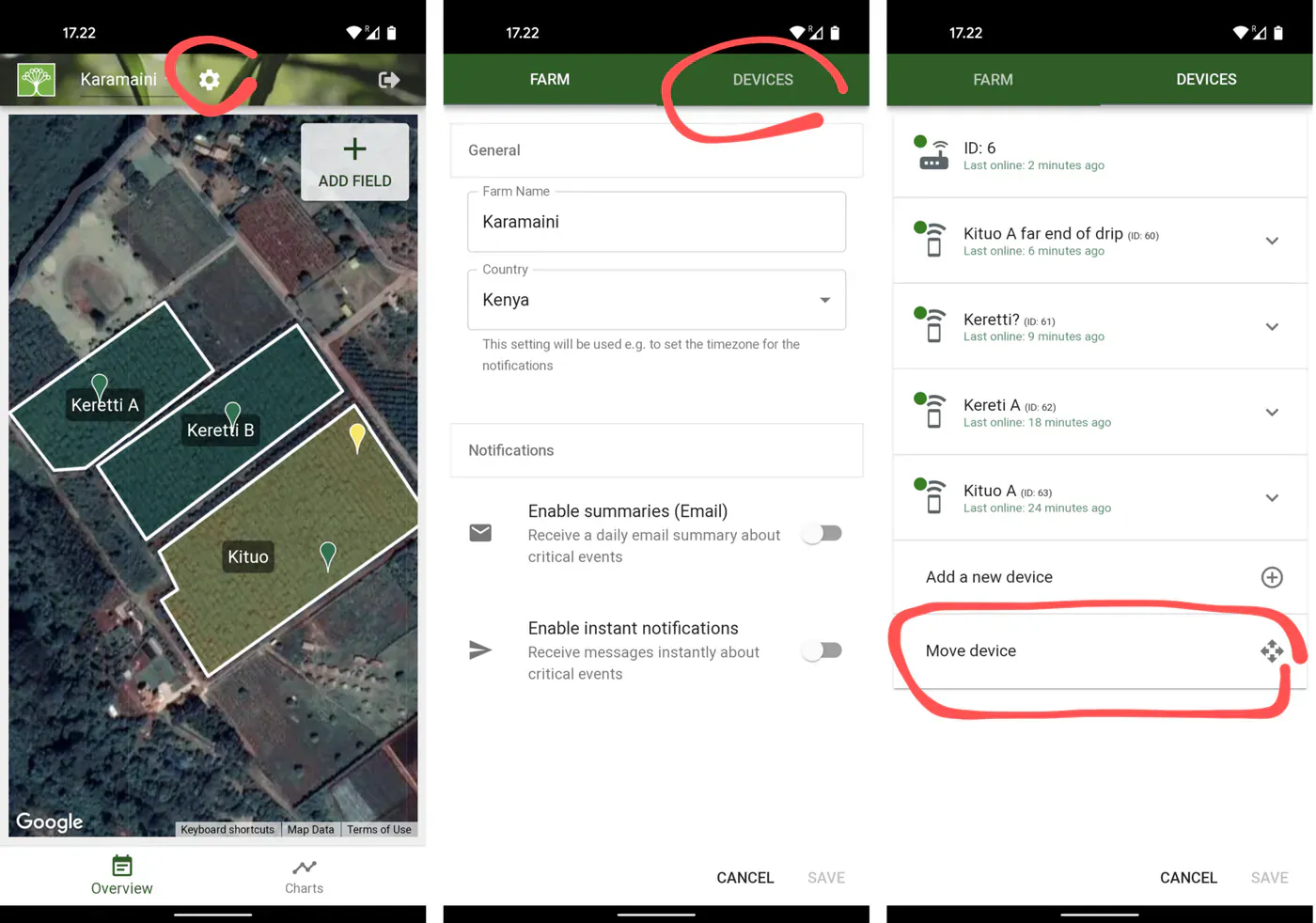
It’s very simple, you dig the sensor out of the soil, take the device and go to the new location equipped with a smartphone. Then simply open the SoilSense app, select "settings", "devices", and select "move device". This action will guide you through the steps and automatically archive the data for the previous location, so that you can always access it.
\
Accessing archived data
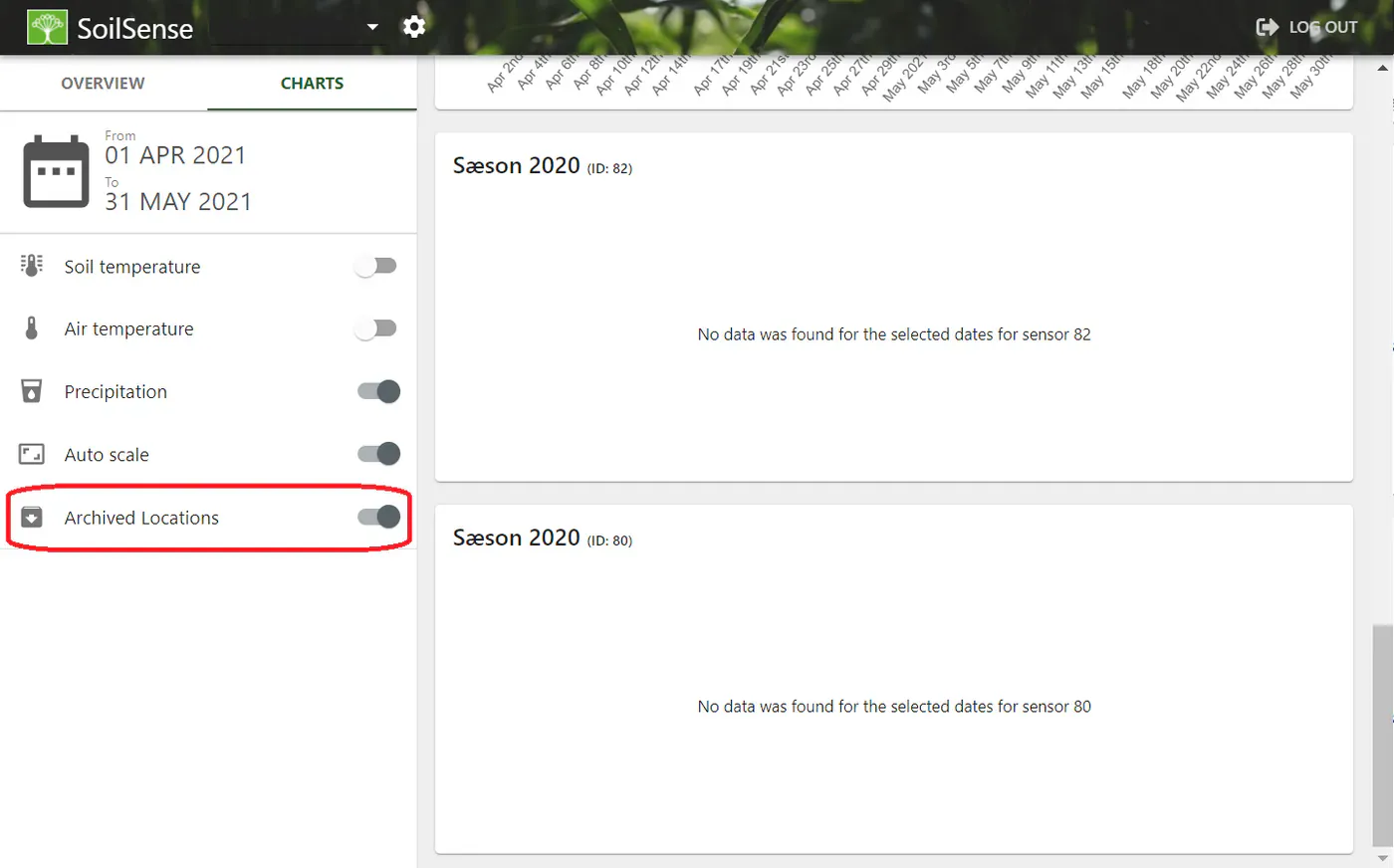
After a device has been moved, the old data will automatically be archived and separated from new readings. To access archived data, go to the "Charts" overview and enable "Archived Locations".
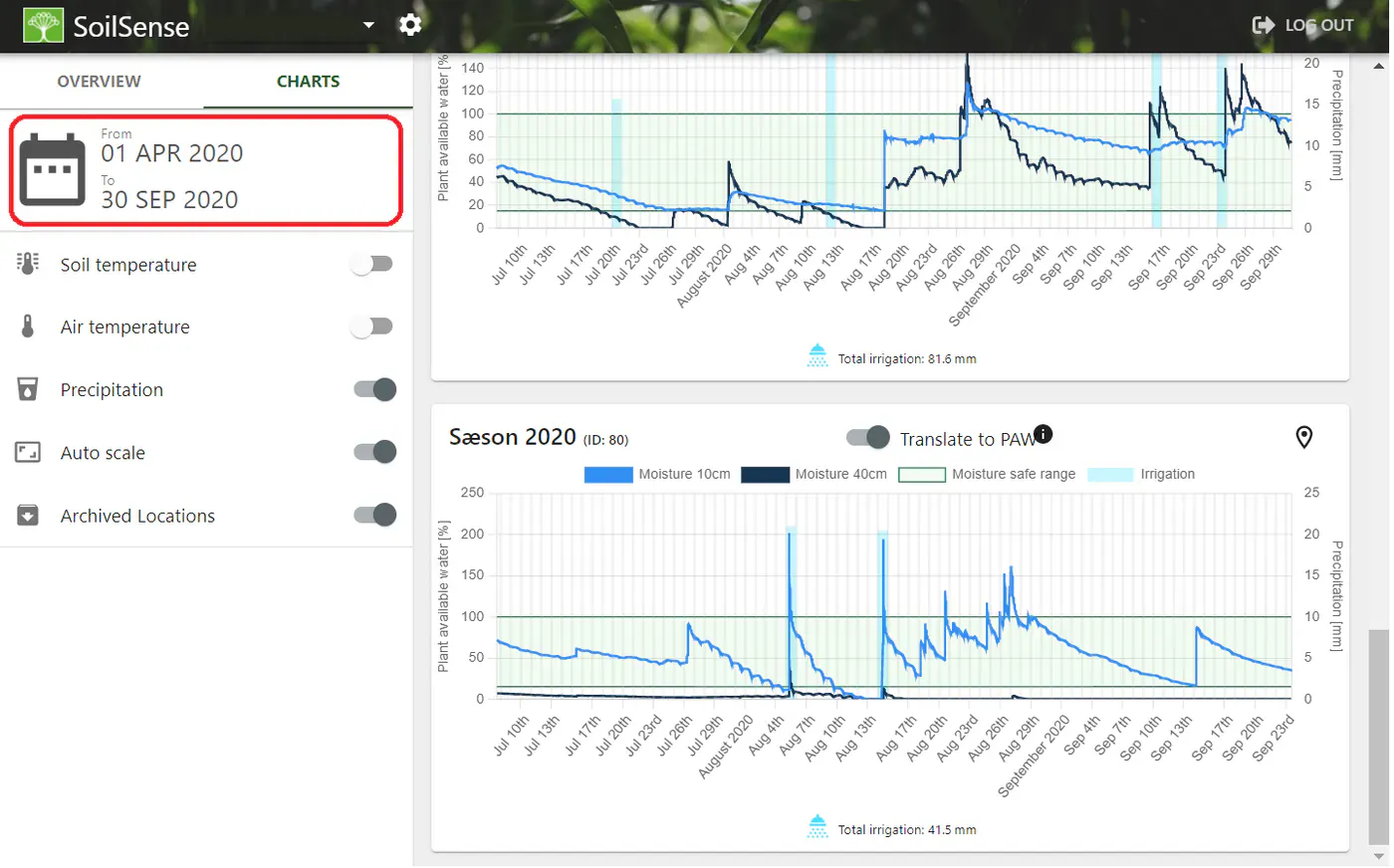
To view the data, simply change the date selector to the period in which the unit was installed - in this example, in 2020.
Note that you can also chose to archive data without actually moving the sensor. Just go to the app and follow the steps listed above.
Ready when you are
Talk to SoilSense — free
A 30-minute consultation, no commitment. We'll help you decide whether SoilSense is a fit for your operation.